Build Powerful Workflow Automations With No Code

Orchestrate process automation with Cyllo. The workflow automation engine transforms any business workflow using visual designing, triggers and smart actions to boost organizational productivity instantly.

Model Binding
Event Triggers
Logic Rules
Action Blocks
Flow Designer
Decoration

Custom Flows, Minimal Coding

Building a smarter business means letting your software handle the routine tasks so your team doesn't have to. This module enables you to design a custom pipeline tailored to your specific operations, ensuring integration between departments. By implementing an automated workflow, you eliminate manual bottlenecks and human error, creating a highly efficient, self-managing environment that scales with you.

Custom Flows, Minimal Coding
Decoration
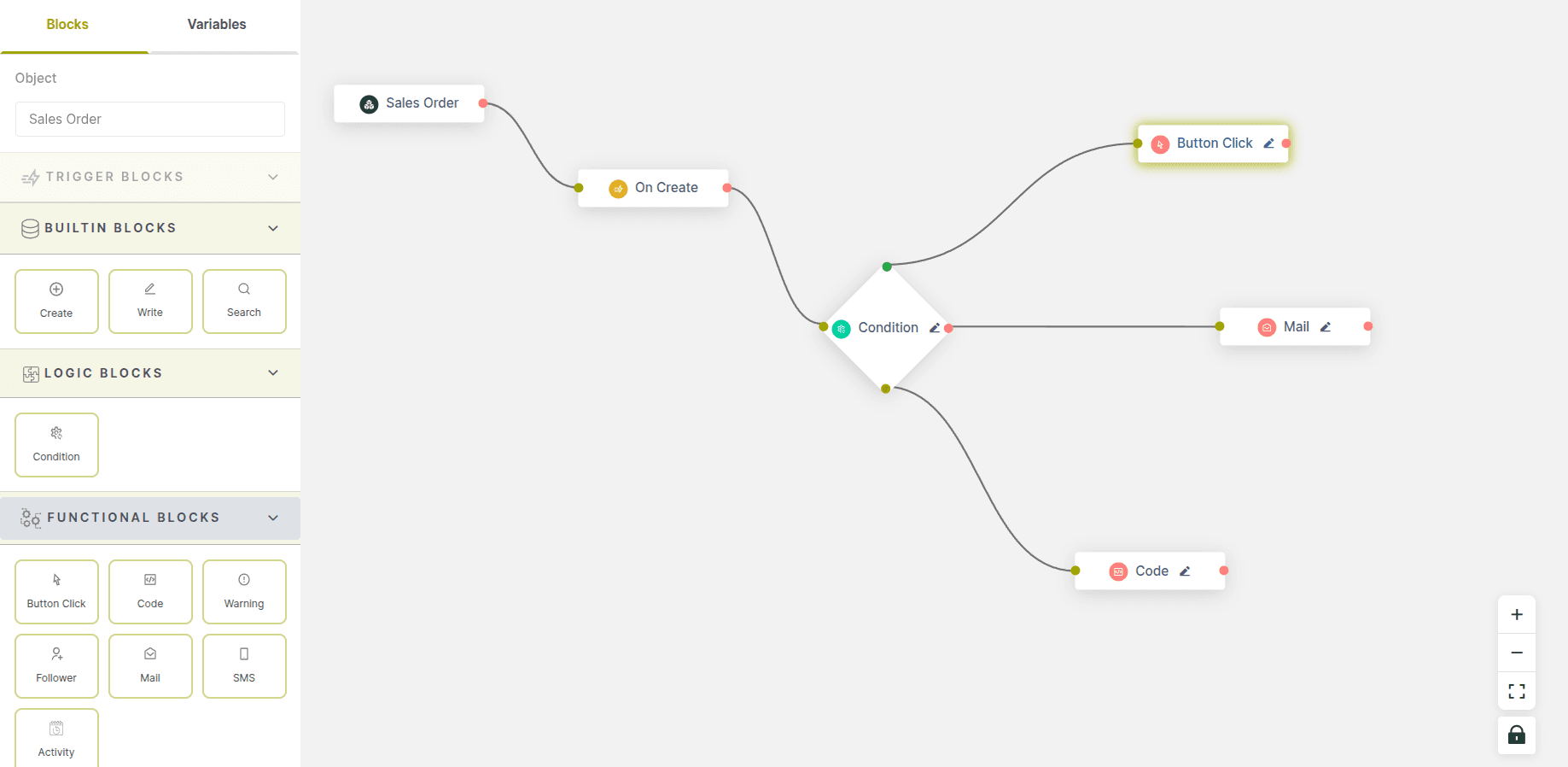
Design Automations Visually

Design Automations Visually

Build powerful workflows by selecting a business object, dragging triggers like “On Create,” adding conditions, and connecting action blocks—all in a clean, visual canvas without writing any code.

From Events to Actions

Turn everyday business events into automated actions by linking triggers, logic, and tasks like emails, button clicks, or custom code into a single intelligent flow.

Code-Powered Blocks

Code-Powered Blocks

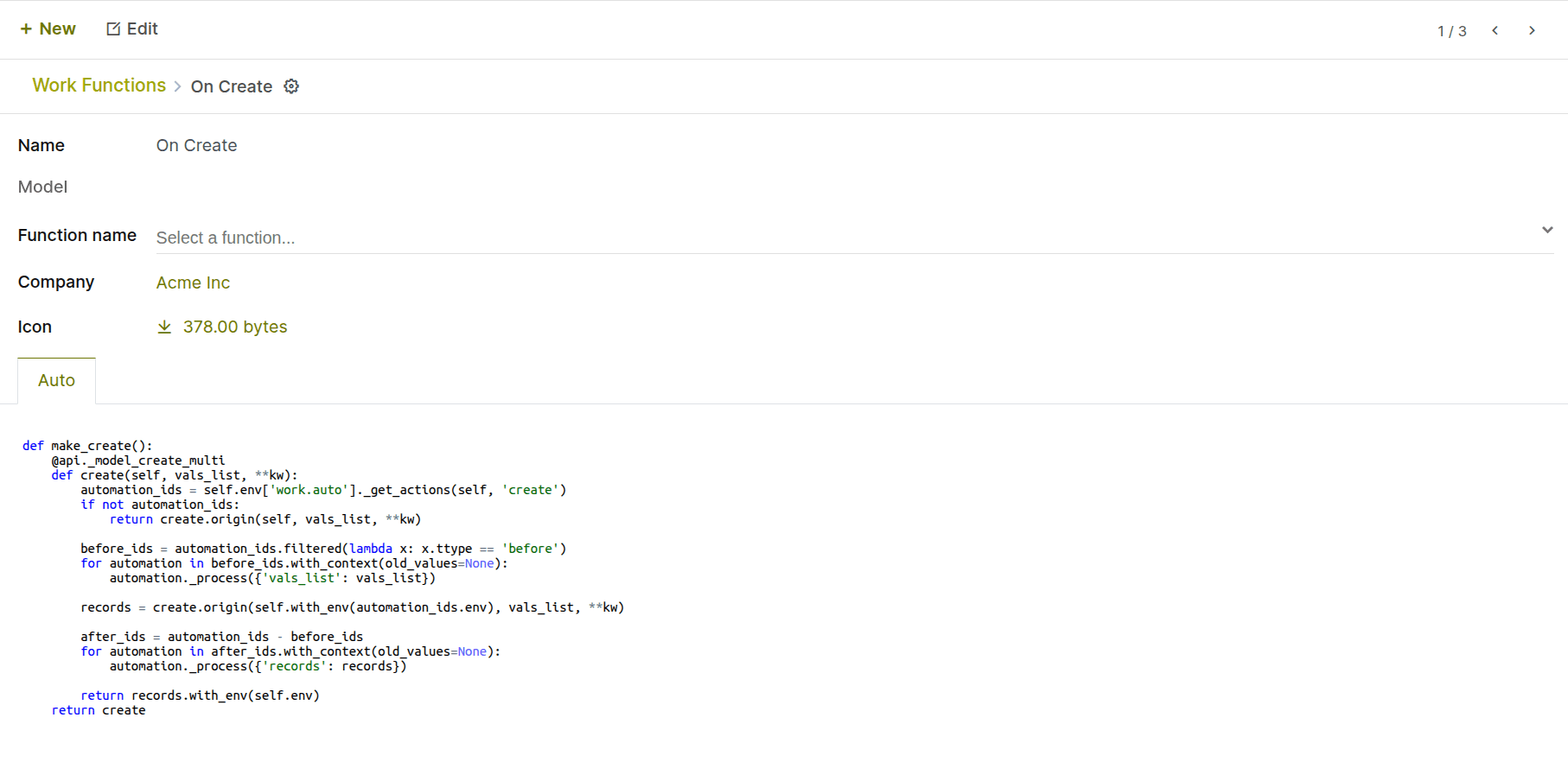
Each workflow block can be backed by a Python function, letting you define exactly what happens when a trigger like “On Create” is activated.

Logic You Control

Attach your own Python logic to any block to control how it behaves, giving you full flexibility to customize every step of your automation.

Designed for Smart Workflows

Conditional Logic Builder

Add smart condition blocks to check status, fields, user roles, dates, and more—ensuring actions fire only when needed.

Action & Functional Blocks

Perform powerful actions like sending messages, executing code, calling functions, or triggering button behavior—all visually.

Visual Workflow Designer

Build, modify, and track automation flows with an intuitive drag-drop interface—no coding required.